
Reminders
Anything with a time gets a nudge on every Apple device.
rpay rent on the 1st at 9am
 Tablio
Download
Tablio
Download
 A menu bar app for Mac
Send yourself an iMessage and it lands in Reminders, Calendar, your todos, links or notes, with a reply in the same thread.
Requires macOS 26 or later · Works with the Messages you already use




How it works
What it saves
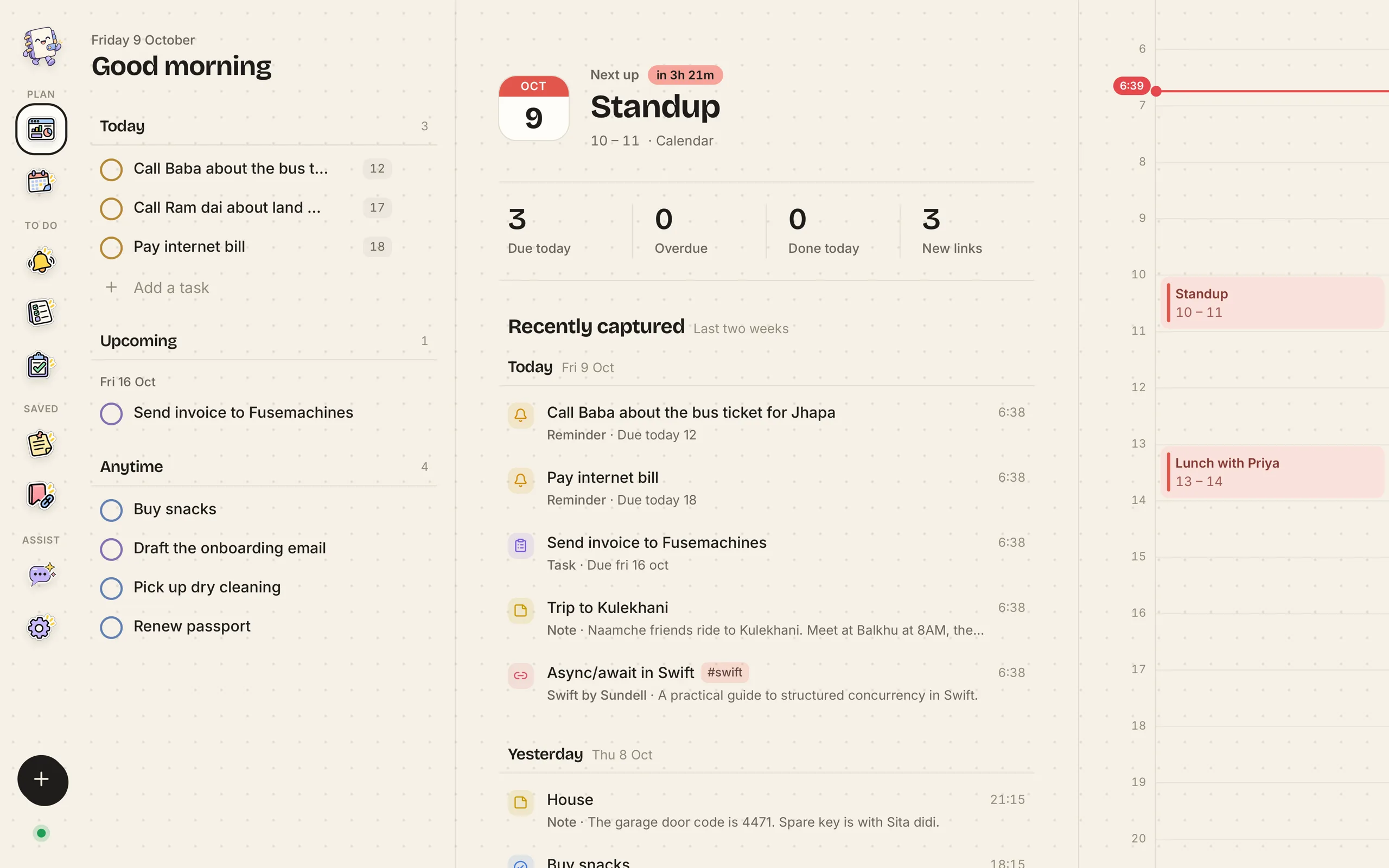
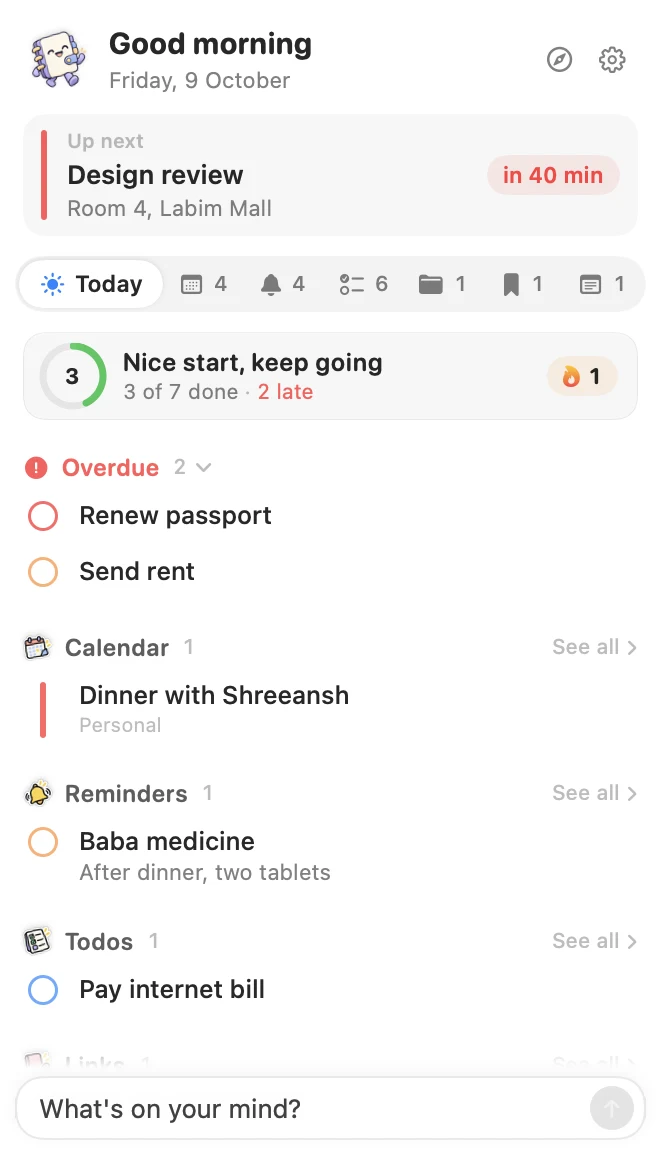
The menu bar opens on Today: what's late, what's on the calendar and what's due. The dashboard has the rest.
Anything with a time gets a nudge on every Apple device.
rpay rent on the 1st at 9am
Plans with a day and time go straight into Apple Calendar.
elunch with Priya tomorrow at 1
Quick errands, with or without a day.
tbuy milk and eggs

Bigger pieces of work you'll chip away at.
kdraft the Q4 proposal
Paste a URL and it's saved with a preview, a summary and tags.
bdeveloper.apple.com/news
Ideas and facts worth keeping, searchable later.
The garage code is 4471
Privacy
What Tablio does with your messages, in plain words. No account, no inbox in the cloud, nothing to opt out of.
Plain-language summary · Tablio for MacTablio runs on your Mac. There is no Tablio server that receives your messages, and you never sign in to anything.
Only your conversation with yourself in Messages, read from the Mac you set it up on. Other conversations are left alone.
Working out the kind, title and time, and writing summaries and tags, all happen on your Mac.
Reminders and events go to Apple Reminders and Calendar, in the lists you pick, and sync through iCloud as usual. Links and notes stay in Tablio's library on your Mac.
Link previews are fetched from the sites you save. Tablio may send anonymous usage counts, such as how many items were created, and never message text, titles, notes, links or phone numbers.
Every permission is granted in System Settings and can be taken back at any time. Quit Tablio and it stops reading.
FAQ
Tablio is a Mac menu bar app. Text yourself from your iPhone and it turns the message into a reminder, calendar event, todo, task, link or note, then replies in the same iMessage thread to confirm.
No. You use Messages as you already do and text yourself. Tablio runs on your Mac and reads the conversation with yourself there.
In Apple Reminders and Apple Calendar, in the lists you choose, so they sync to your iPhone, iPad and Apple Watch through iCloud. Links and notes are kept by Tablio on your Mac.
No. Tablio reads and sorts your messages on your Mac, and the smarts that understand them run on your Mac too.
A Mac with macOS 26 or later that is signed in to iMessage, plus Full Disk Access, Automation for Messages, and access to Reminders and Calendar. Onboarding walks you through each one.
Reply with one letter: r for reminder, e for event, t for todo, k for task or b for bookmark. Reply undo, or react with a thumbs down, to take it back.
Requires macOS 26 or later · Set up in a couple of minutes